

Bring the model to everyone who needs to review it.
Once modelling and engineering are complete, export the project as an IDSV file and open it in IDS™ Viewer.
Owners, reviewers, and project stakeholders can explore the model, walk through the facility, add comments, and run clash checks - without needing the full engineering environment used to create it.
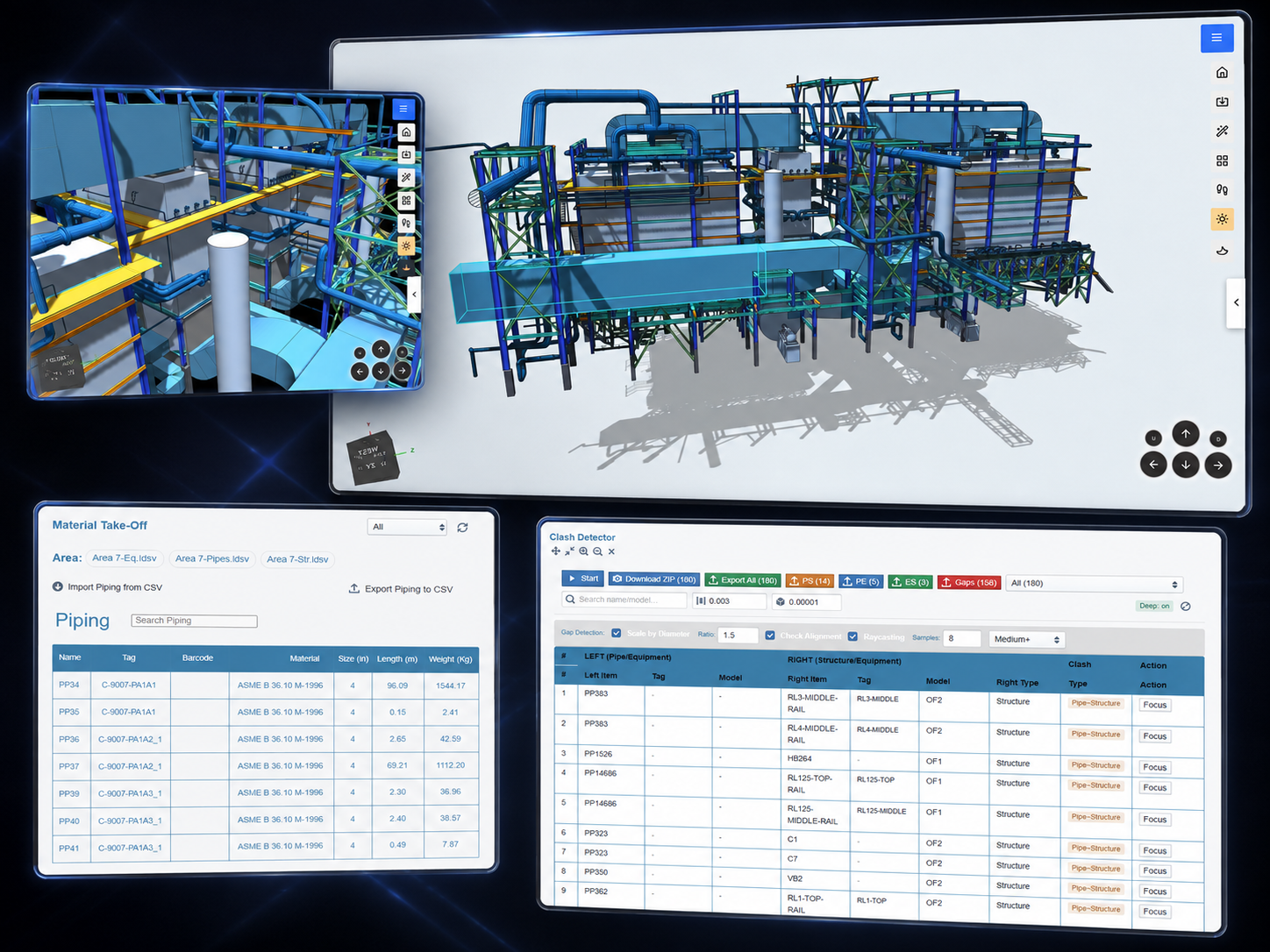
IDSV only
None · Review only
Comments · Walkthrough · Clash
Owners · Reviewers · Operations
Engineering creates the model. Viewer makes it accessible.
Finish the model. Share the result.
Engineering teams create and analyze the project in IDS™ Core.
When the model is ready, export it as an IDSV file and open it in IDS™ Viewer for review.
IDS™ Core · IDS™ Halo
IDSV export
IDS™ Viewer
One engineered model. A wider audience.
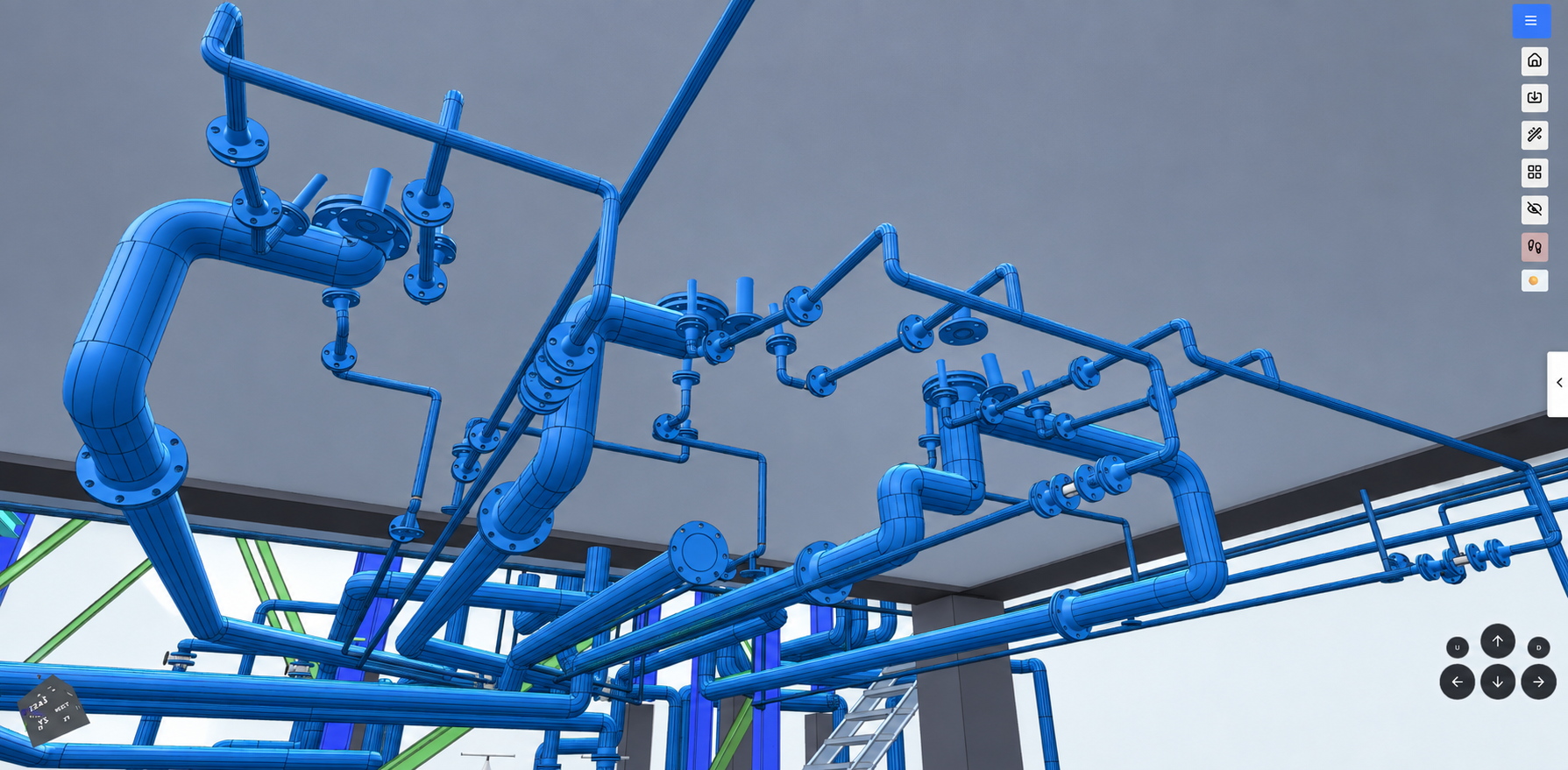
Understand the project in 3D.
IDS™ Viewer gives stakeholders a clear way to explore the complete engineering model.
Navigate
Move through the model from any angle.

Inspect
Review equipment, piping, and structures in details.

Walk through
Experience the facility from a human perspective.
Understand
See how different parts of the design work together.
See the engineering, not just the drawings.
Review the model without authoring it.
IDS™ viewer is designed for the people who need to understand and review the project without modifying the engineering model.
Asset owners
▸Review the complete facility
▸Understand layouts and equipment locations
▸Participate in design reviews
Understand what is being built.
Project reviewers
▸ Inspect engineering decisions
▸ Identify issues in context
▸ Add comments directly to the model
Review on the model, not on paper.
Operations teams
▸ Review access and maintainability
▸ Walk through the facility before handover
▸ Provide operational feedback earlier
Feed operations back into design.

Give every stakeholder a clearer view of the project.
Keep feedback
connected to the model.
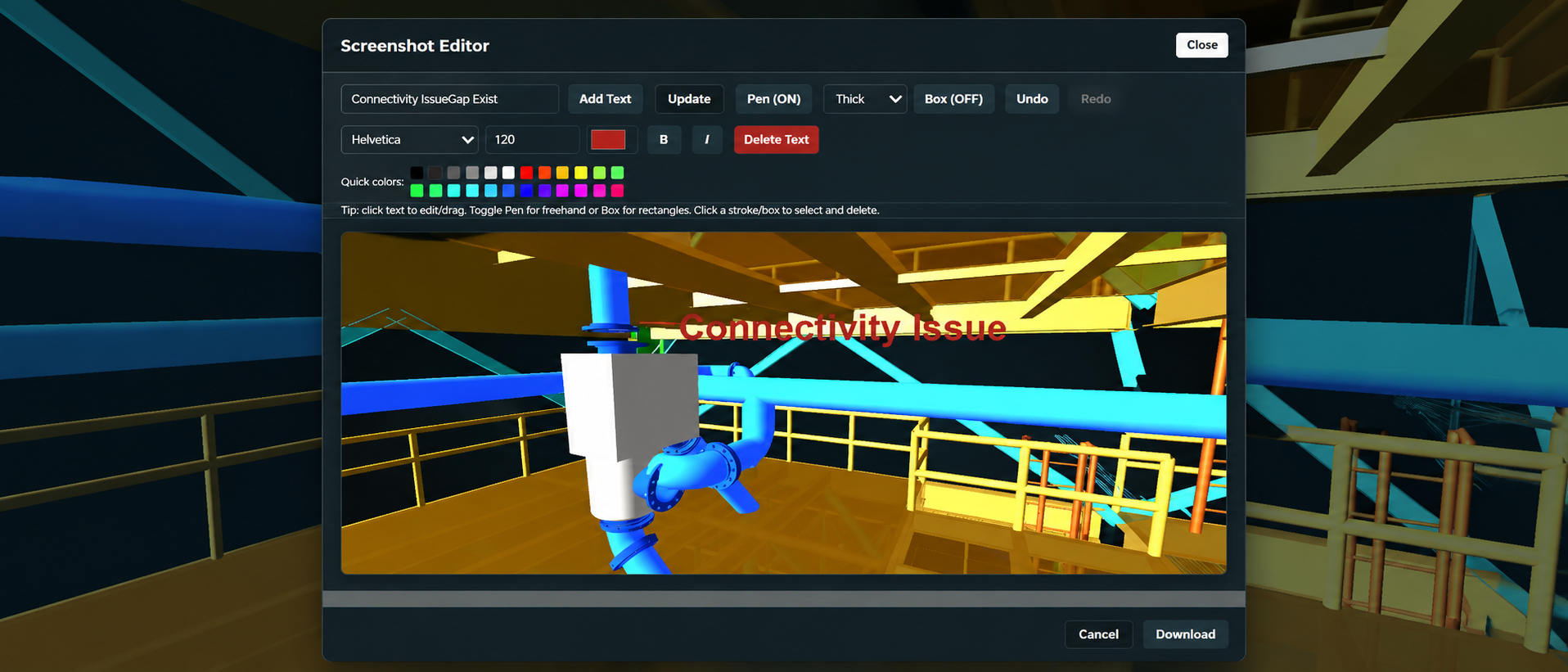
Reviewers can navigate directly to an area of interest and add comments in the same visual context as the engineering.
This makes review discussions clearer and reduces the need to explain issues through screenshots, drawings, or long email threads.
See the issue. Add the comment. Review it together.
Valve handwheel is tight against the platform edge - review clearance.
Confirm maintenance pull space in front of the pump skid.
Route passes over the walkway. Acceptable height, noted for record.
Bracing arrangement reviewed and accepted.
Experience the design before it is built.
Walk through the model and review the facility from the perspective of the people who will use it.



Find problems while changes are still digital.
Review spatial conflicts in context.
Run clash checks across the model and investigate potential conflicts between piping, equipment, and structures.
Instead of reviewing isolated clash reports, see each issue directly within the complete project.
Piping / Structure
Line crossing a structural member, reviewed at the location in the model.
Piping / Equipment
Interference near a nozzle connection, checked against surround geometry.
Equipment / Structure
Clearance between a skid and the frame, reviewed in plant contect.
Find the clash.
Understand the context.
Resolve it faster.
The model should remain useful after engineering.
Detailed 3D models often stay inside specialist engineering software.
IDS™ Viewer gives owners and downstream teams an accessible way to continue using the model for review, communication, and decision-making.

Find problems while changes are still digital.
Viewer connects the wider team to the digital asset.
Create the digital asset in IDS™. Make it accessible in IDS™ Viewer.
Put the model in front of the people who will own it.
See how IDS™ Viewer can give owners, reviewers, and downstream teams a simple way to explore and review the engineering model.

30 Knowledge Park Dr, Suite 320
Fredericton, NB E3C-2R2
Canada
2, Faehrbongerten
L-5698 Welfrange
Luxembourg

© 2026 ASETS